
HELP CENTER
Groups
Create rule-based member groups, configure actions and troubleshoot automatic emails and loyalty benefits.
Browse by topic
Browse articles
13 articles
Understanding Automated Groups
Open Groups to organise customers and configure optional Actions . Automatic groups use saved conditions; manual groups use members you choose.
How to Create an Automatic or Manual Group
Create an automatic group from conditions or a manual group from selected members. Review any Actions before saving so you know what members can…
How to Choose Automated Group Conditions
Conditions decide who belongs to a group. Make each condition specific so the audience matches your intention and remains easy to check.
How to Build Groups Using Visits and Visit Times
Use visit conditions to find new visitors, regular customers or members who have not returned recently. Time-of-day conditions help you identify customers whose recorded…
How to Target Stamp Progress, Points and Spending
Use current balances and recorded spend to create groups such as members close to a stamp reward or customers with enough points to redeem…
How to View Group Members and Badges
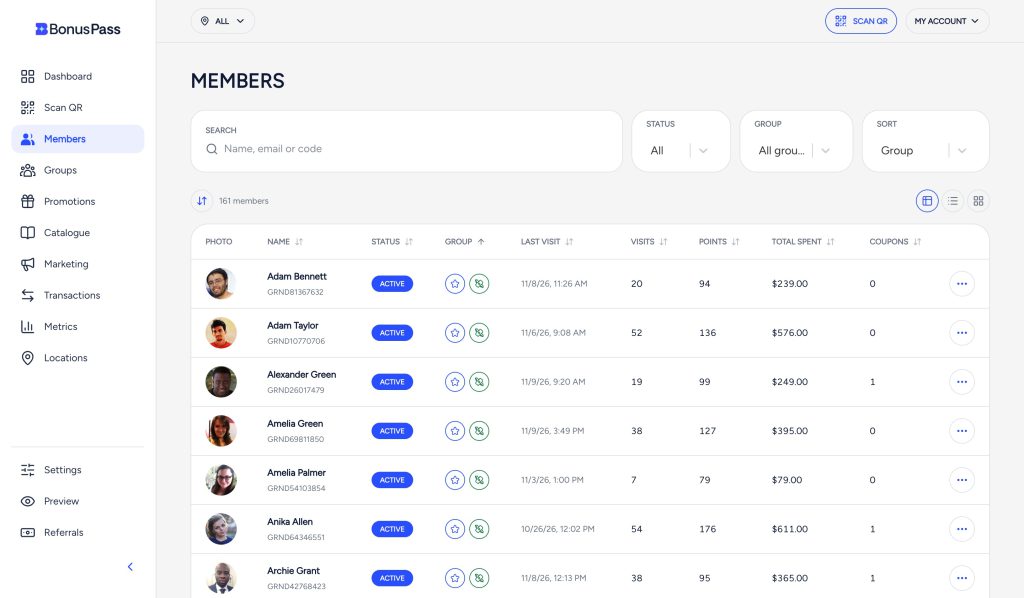
Open a group’s member-count panel to see its audience. Check whether the group is automatic or manual before trying to change membership.
How to Add Actions to an Automated Group
Use Actions to choose what happens for members who match an Automated Group. You can send an email, give a reward or add a…
How to Send Emails with Automated Group Actions
Choose Send an email in a group’s Actions to write a message for matching members. Create the message, add personalisation and review it before…
How Automated Group Benefits Appear in Member Activity
Benefits issued by Automated Groups use the normal member balances, rewards and activity history. Customers should not need a separate rewards area to use…
How Automated Group Rewards Appear in Member Activity
Rewards issued by Automated Groups use the normal member balances, rewards and activity history. Customers should not need a separate rewards area to use…
Still need a hand?
Send the BonusPass team a question about your account or rewards programme.