
HELP CENTER
Getting Started
Get your business account ready and launch your rewards program.
Browse by topic
Browse articles
8 articles
Getting Started with Bonus Pass
Set up your business details, loyalty rules and customer experience before recording your first transaction. Getting Started helps you work through the tasks that…
How to Sign In to Your Business Account
Sign in with your own business-team account, then check the business and location before opening customer records.
How to Complete the Getting Started Checklist
The owner’s Getting Started checklist shows the setup work still required. Use each task’s action, save the corresponding page and complete any confirmation shown.
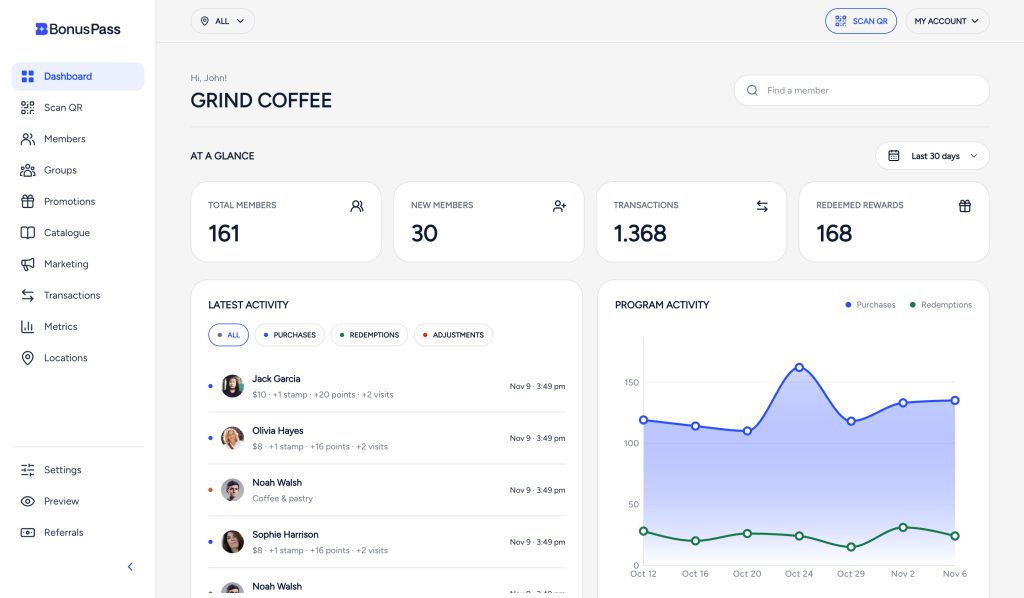
A Tour of Your Bonus Pass Dashboard
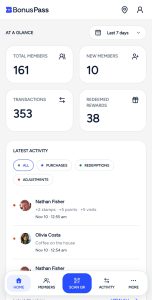
Use Home for a quick overview, the navigation for everyday tasks, and My Account for your own profile and account tools. The mobile layout…
How to Preview Your Customer Rewards App
Use Preview to check the customer-facing program after changing your brand, catalogue or promotions. A preview does not replace checking a real customer membership…
Launch Checklist: Before You Invite Customers
Check the saved customer experience and checkout workflow before sharing your loyalty program publicly.
Why Getting Started Shows an Incomplete or Attention Status
The setup indicator shows remaining onboarding work. Use it to reopen the checklist rather than waiting for an automatic popup.
Using Bonus Pass Business on Android
Use Bonus Pass Business for staff tasks on Android when the app is available to your business. Sign in with your team account, not…
Still need a hand?
Send the BonusPass team a question about your account or rewards programme.